
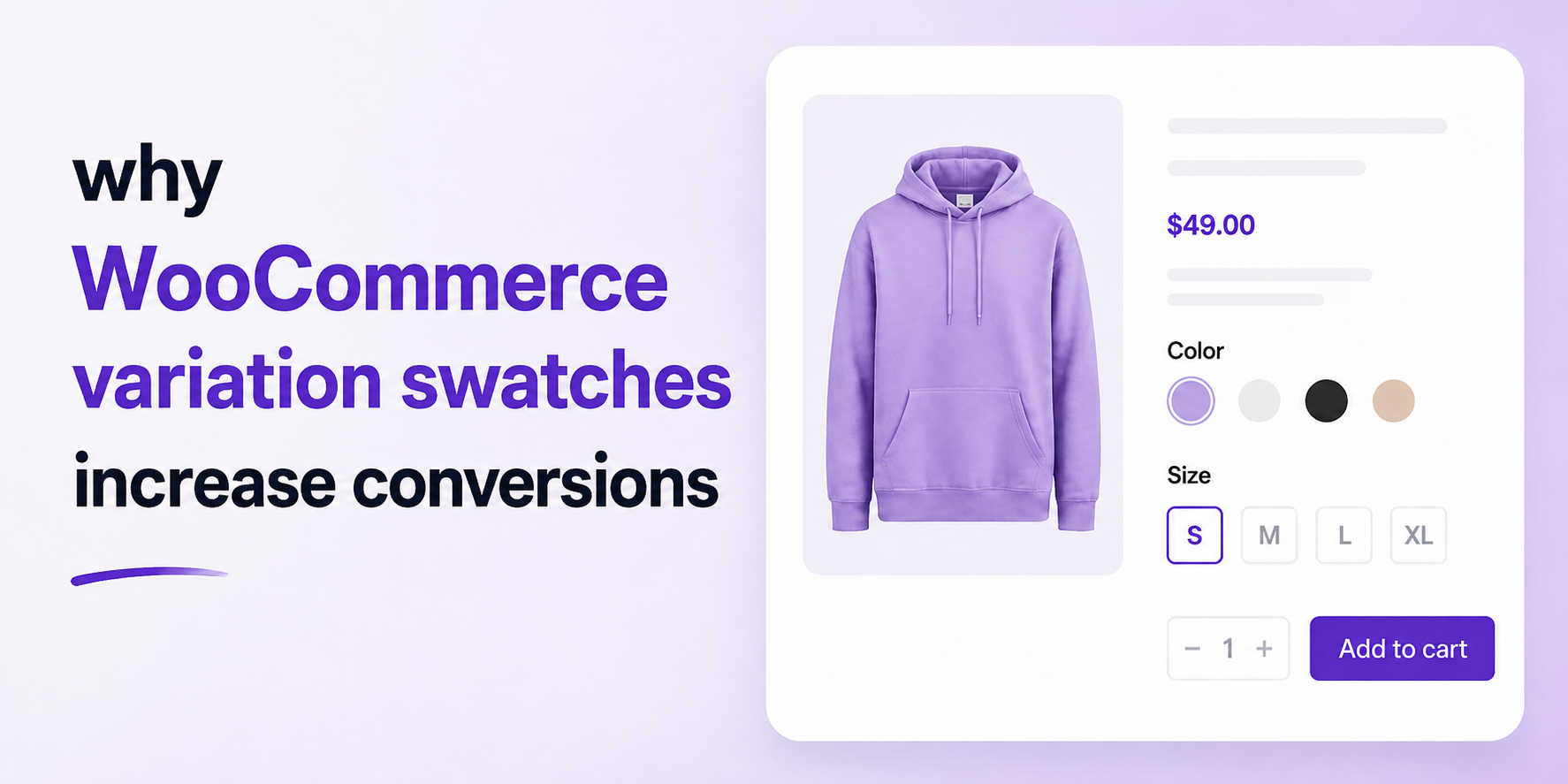

Imagine walking into a clothing store.
You ask the salesperson, “Do you have this T-shirt in blue?”
Instead of showing you the available colors, they hand you a printed list:
Now imagine another store.
The salesperson simply shows four real shirts in those colors.
Which experience feels better?
Most people would choose the second one.
This is exactly what happens on many WooCommerce stores. Instead of showing customers beautiful product options, they present a boring dropdown menu. That tiny detail can make a surprisingly big difference.
In this article, you’ll learn why variation swatches matter, how they improve customer experience, and how Smart Swatches helps WooCommerce store owners create a faster, more engaging shopping experience.
The Problem with Default WooCommerce Dropdowns
WooCommerce supports variable products out of the box. If you’re selling:
You can create different variations based on:
Unfortunately, WooCommerce displays these options using ordinary dropdown menus.
Customers must:
It works.
But it isn’t enjoyable.
More importantly—it doesn’t help customers visualize the product.
Why This Matters
Online shoppers cannot touch your products.
They cannot hold them.
They cannot compare colors side by side.
Everything depends on visuals.
If choosing a variation feels difficult, shoppers often leave without buying. Even a few extra clicks can reduce conversions.
Modern shoppers expect shopping to be quick, visual, and effortless.
Meet WooCommerce Variation Swatches
Variation swatches replace boring dropdown menus with interactive visual options.
Instead of boring dropdowns customers see:
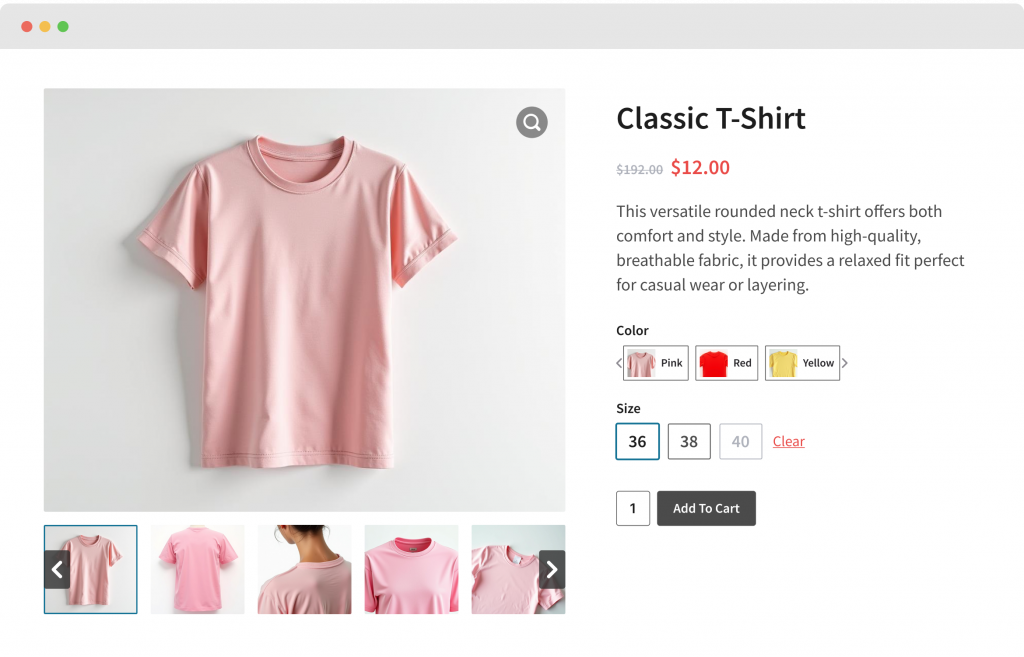
Instead of reading variation names, they can click the actual product image.
The shopping experience instantly becomes more intuitive.
What Are Smart Swatches?
Smart Swatches is a WooCommerce plugin that transforms standard variation dropdowns into attractive visual swatches.
Instead of making customers read text lists, Smart Swatches lets them choose variations using:
Everything feels cleaner, faster, and easier to understand.
The plugin integrates with WooCommerce’s existing variation system, making it easy to enhance your product pages without changing how you manage products.
Why Visual Choices Improve Conversions
People process images much faster than text.
Imagine shopping for sneakers.
Would you rather choose from a dropdown texts?
or simply click the color you like?
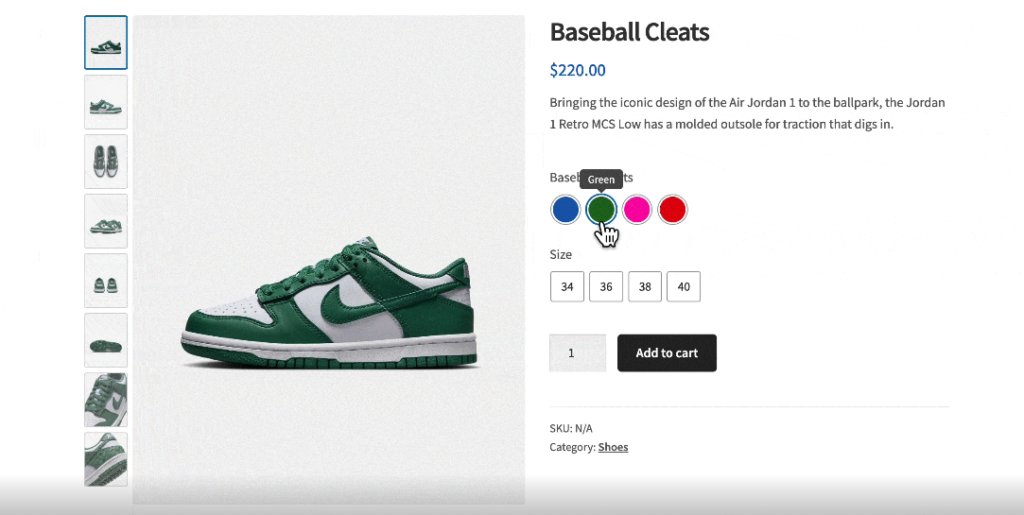
Visual selection reduces decision fatigue.
Customers make decisions faster.
Faster decisions often lead to more completed purchases.
Real-World Example: Clothing Store
Sarah owns an online clothing store.
Each T-shirt comes in:
Previously, customers had to use dropdown menus.
Many visitors never noticed all available colors.
After switching to visual color swatches, shoppers immediately saw every available option.
They explored more variations.
Average time on product pages increased.
Customers purchased more than one color because they could compare them instantly.
Real-World Example: Furniture Store
Imagine selling dining tables.
Each table comes in:
Text alone doesn’t communicate the appearance.
Image swatches let customers preview each finish before selecting it.
Instead of guessing, they shop with confidence.
Confidence increases purchases.
Real-World Example: Cosmetics
Lipsticks often come in dozens of shades.
Reading names like:
doesn’t help much.
Color swatches immediately show the actual shades.
Customers can compare them in seconds.
Smart Swatches Features
Beautiful Color Swatches
Perfect for:
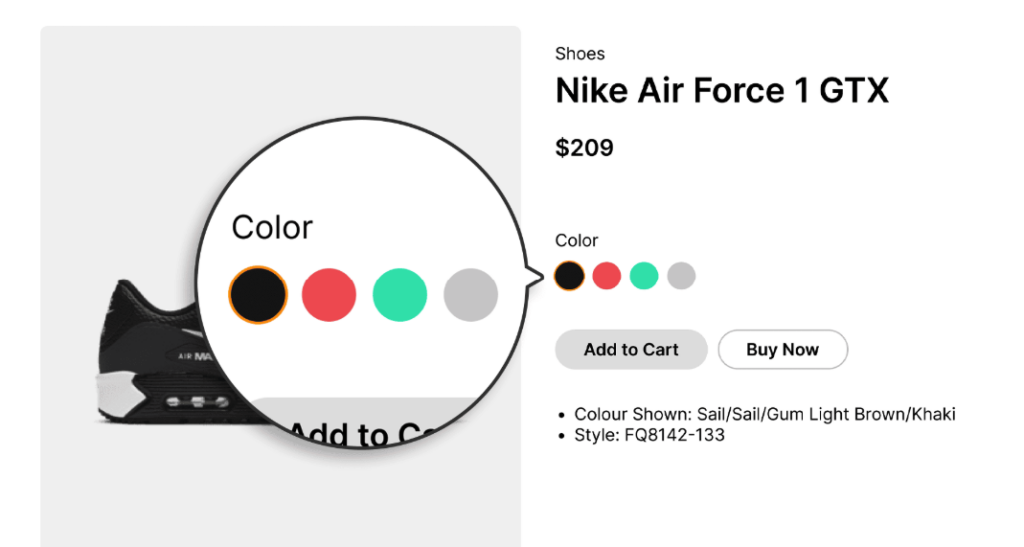
Instead of text, customers instantly recognize colors.
Image Swatches
Some products need actual images instead of colors.
Examples include:
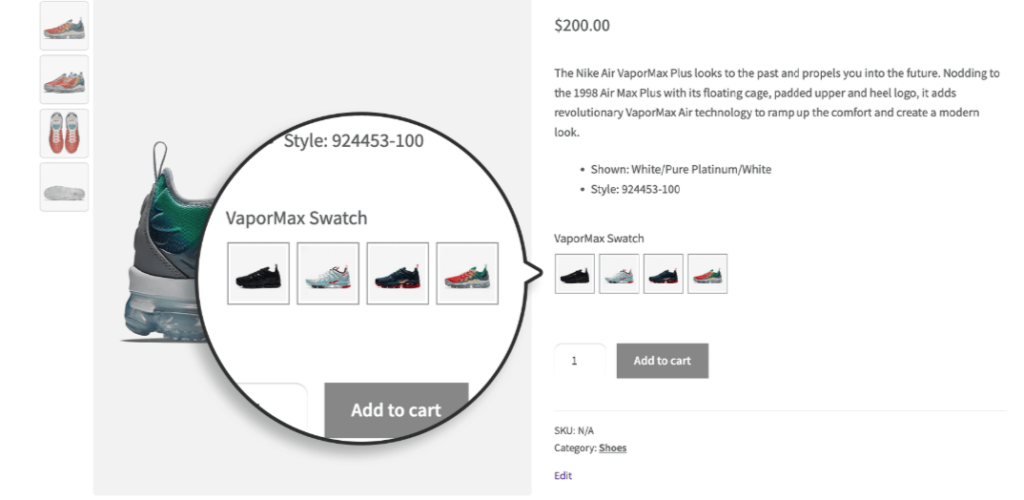
Image swatches help shoppers understand exactly what they’re buying.
Button Swatches
Not every variation has a visual appearance.
Sizes work better as buttons:
Other examples include:
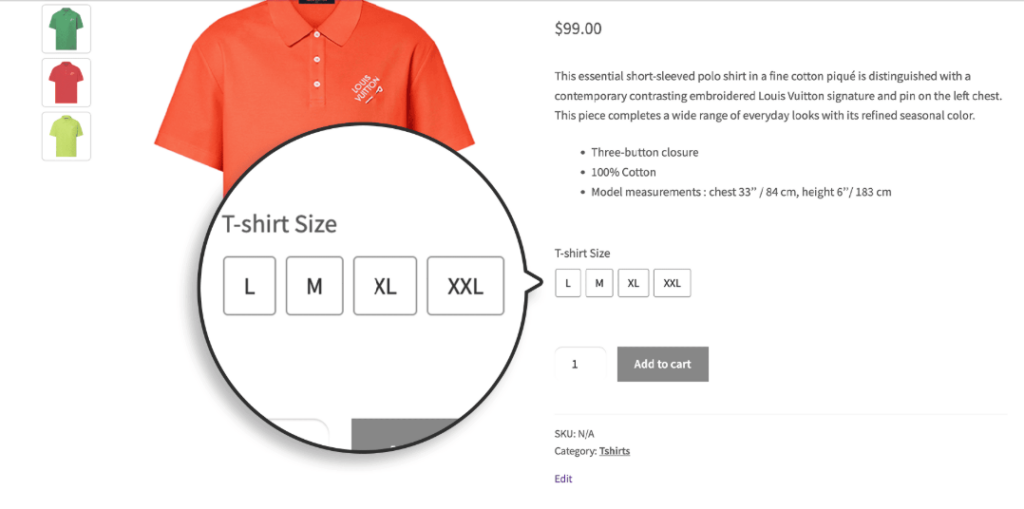
Buttons make these selections cleaner than dropdowns.
Shop Page Swatches
Customers don’t always visit individual product pages.
Sometimes they decide directly from the shop archive.
Showing variation options earlier helps shoppers interact with products without extra navigation.
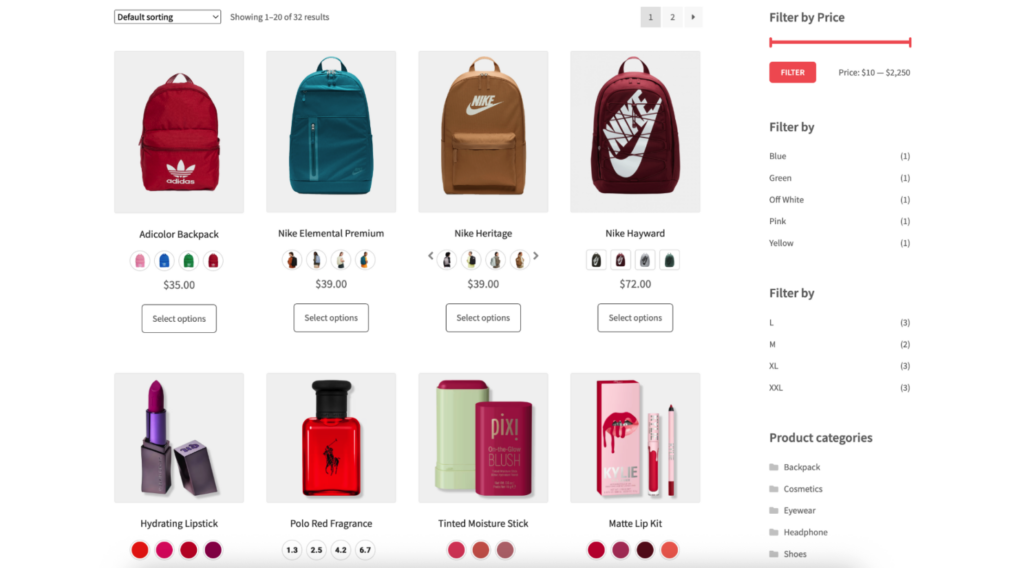
This creates a smoother browsing experience.
Better User Experience
A great shopping experience isn’t about adding flashy effects.
It’s about removing friction.
Smart Swatches helps customers:
Why Customers Prefer Swatches
Visual interfaces require less thinking.
Customers don’t need to read.
They simply click what they want.
This small improvement creates a shopping experience similar to major online retailers.
Benefits for Store Owners
Smart Swatches doesn’t only help customers.
It also benefits store owners.
Higher Conversion Rates
Better product presentation often leads to more completed purchases.
Reduced Cart Abandonment
Clear product options reduce confusion during shopping.
Better Product Discovery
Customers notice available colors and styles immediately.
Professional Appearance
Visual swatches make your WooCommerce store look more modern.
Increased Customer Satisfaction
Happy customers are more likely to return.
Which Stores Benefit Most?
Almost every WooCommerce store selling product variations can benefit.
Examples include:
If your products have options, visual swatches can improve the shopping experience.
Default WooCommerce vs Smart Swatches
|
Feature |
Default |
Smart Swatches |
|---|---|---|
|
Dropdown Selection |
✅ |
✅ |
|
Color Swatches |
❌ |
✅ |
|
Image Swatches |
❌ |
✅ |
|
Button Swatches |
❌ |
✅ |
|
Better Product Presentation |
Limited |
Excellent |
|
Faster Product Selection |
Limited |
Yes |
|
Modern Shopping Experience |
Basic |
Professional |
Tips for Getting the Best Results
To create the best shopping experience:
Small improvements can have a big impact on usability.
Frequently Asked Questions
What are WooCommerce variation swatches?
Variation swatches replace standard dropdown menus with visual options like colors, images, or buttons, making it easier for customers to select product variations.
Does WooCommerce include variation swatches by default?
WooCommerce supports product variations but displays them using dropdown menus. A plugin like Smart Swatches enhances this with visual swatches.
Can variation swatches increase sales?
They can improve the shopping experience by making product options easier to understand and quicker to select. A smoother buying experience often contributes to better conversion rates.
What types of swatches does Smart Swatches support?
Smart Swatches supports: color swatches, image swatches, button swatches, shop page swatches, and more.
Is Smart Swatches beginner-friendly?
Yes. It works with WooCommerce variable products and is designed to make product variations more visually appealing without changing your existing product setup.
Will variation swatches work on mobile devices?
Yes. A responsive swatch layout helps customers select product options comfortably on desktops, tablets, and smartphones.
Which products benefit most from variation swatches?
Any product with multiple options, including clothing, shoes, cosmetics, furniture, electronics, accessories, and home décor.
Do variation swatches improve user experience?
Yes. They reduce unnecessary clicks, make product options easier to understand, and create a more intuitive shopping experience.
Get Started Today
Great eCommerce experiences are built from many small improvements.
Replacing plain dropdown menus with attractive visual swatches may seem like a small change, but it can make shopping feel more natural, engaging, and enjoyable.
Whether you’re selling clothing, furniture, electronics, cosmetics, or handmade products, helping customers visualize their choices can improve confidence and simplify purchasing decisions.
If you’re looking to modernize your WooCommerce product pages, Smart Swatches offers an easy way to transform standard variation selectors into beautiful color, image, and button swatches—creating a shopping experience your customers will appreciate.
Ready to upgrade your WooCommerce store?
A better product selection experience starts with better variation swatches. Let Smart Swatches help you create a store that’s easier to browse, easier to shop, and designed to convert more visitors into happy customers.

Leave a Reply